
SCAPI Schemas
Commands for browsing and retrieving SCAPI (Salesforce Commerce API) schema specifications.
Global SCAPI Schemas Flags
These flags are available on all SCAPI Schemas commands.
Tenant Flags
| Flag | Environment Variable | Description |
|---|---|---|
--tenant-id | SFCC_TENANT_ID | (Required) Organization/tenant ID |
--short-code | SFCC_SHORTCODE | SCAPI short code |
Authentication Flags
| Flag | Environment Variable | Description |
|---|---|---|
--client-id | SFCC_CLIENT_ID | Client ID for OAuth |
--client-secret | SFCC_CLIENT_SECRET | Client Secret for OAuth |
--auth-scope | SFCC_OAUTH_SCOPES | OAuth scopes to request (comma-separated, repeatable) |
--auth-methods | SFCC_AUTH_METHODS | Allowed auth methods in priority order (client-credentials, jwt, user, implicit, basic, api-key) |
--user-auth | Use browser-based user authentication (Authorization Code + PKCE flow) | |
--account-manager-host | SFCC_ACCOUNT_MANAGER_HOST | Account Manager hostname for OAuth (default: account.demandware.com) |
--jwt-cert | SFCC_JWT_CERT | Path to JWT certificate file (cert.pem) for JWT Bearer authentication |
--jwt-key | SFCC_JWT_KEY | Path to JWT private key file (key.pem) for JWT Bearer authentication |
--jwt-passphrase | SFCC_JWT_PASSPHRASE | Passphrase for encrypted JWT private key |
Common Flags
| Flag | Environment Variable | Description |
|---|---|---|
--config | SFCC_CONFIG | Path to config file (in dw.json format; defaults to ./dw.json; empty for none) |
-i, --instance | SFCC_INSTANCE | Instance name from configuration file (e.g. dw.json) |
--project-directory | SFCC_PROJECT_DIRECTORY | Project directory |
-L, --lang | Language for messages (e.g., en, de). Also respects LANGUAGE env var | |
--log-level | SFCC_LOG_LEVEL | Set logging verbosity (trace, debug, info, warn, error, silent) |
-D, --debug | SFCC_DEBUG | Enable debug logging (shorthand for --log-level debug) |
--extra-query | SFCC_EXTRA_QUERY | Extra query parameters as JSON (e.g., '{"debug":"true"}') |
--extra-body | SFCC_EXTRA_BODY | Extra body fields to merge as JSON (e.g., '{"_internal":true}') |
--extra-headers | SFCC_EXTRA_HEADERS | Extra HTTP headers as JSON (e.g., '{"X-Custom-Header": "value"}') |
Output Flags
| Flag | Environment Variable | Description |
|---|---|---|
--json | Output result as JSON | |
--jsonl | SFCC_JSON_LOGS | Output log messages as JSON lines |
Authentication
SCAPI Schemas commands require an Account Manager API Client with OAuth credentials.
Required Scopes
The following scopes are automatically requested by the CLI:
| Scope | Description |
|---|---|
sfcc.scapi-schemas | Access to SCAPI Schemas API |
SALESFORCE_COMMERCE_API:<tenant_id> | Tenant-specific access scope |
Configuration
# Set credentials via environment variables
export SFCC_CLIENT_ID=my-client
export SFCC_CLIENT_SECRET=my-secret
export SFCC_TENANT_ID=zzxy_prd
export SFCC_SHORTCODE=kv7kzm78

# Or provide via flags
b2c scapi schemas list --client-id xxx --client-secret xxx --tenant-id zzxy_prd
For complete setup instructions, see the Authentication Guide.
b2c scapi schemas list
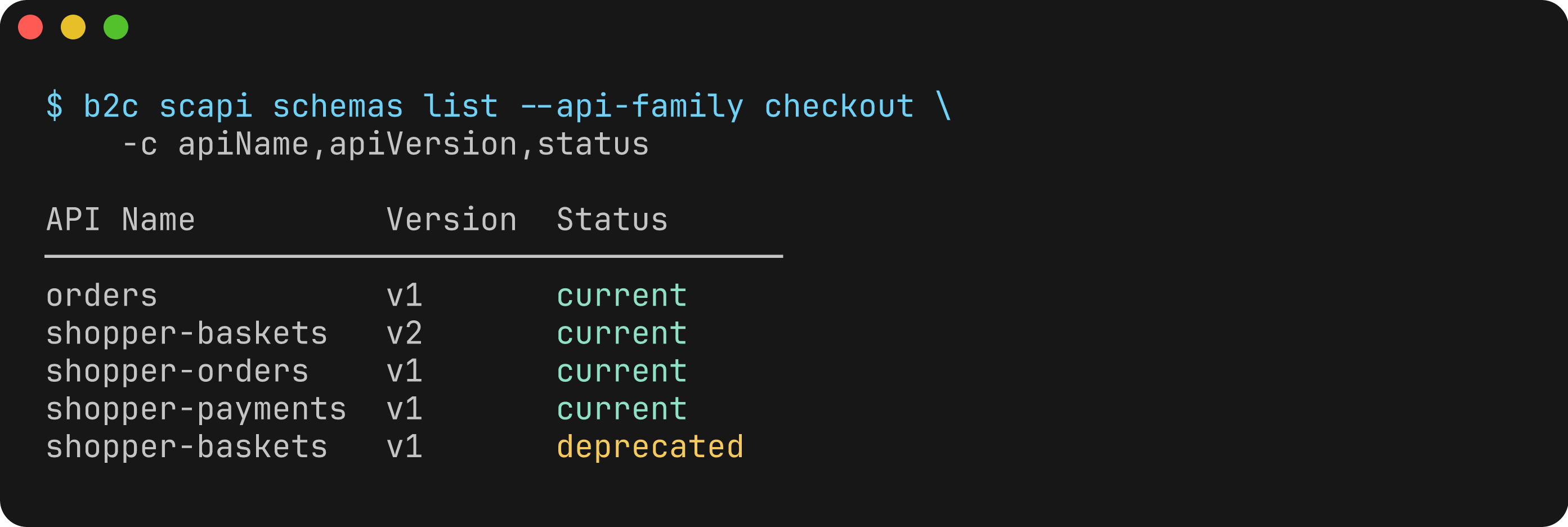
List available SCAPI schemas with optional filtering.
Usage
b2c scapi schemas list --tenant-id <TENANT_ID>Flags
| Flag | Description | Default |
|---|---|---|
--tenant-id | (Required) Organization/tenant ID | |
--api-family | Filter by API family (e.g., product, checkout, search) | |
--api-name | Filter by API name (e.g., shopper-products, shopper-baskets) | |
--api-version | Filter by API version (e.g., v1) | |
--status, -s | Filter by schema status (current, deprecated) | |
--columns, -c | Columns to display (comma-separated) | |
--extended, -x | Show all columns including extended fields | false |
--json | Output results as JSON | false |
Available Columns
Default columns: apiFamily, apiName, apiVersion, status
Extended columns (shown with --extended): schemaVersion, link
Examples
# List all available SCAPI schemas
b2c scapi schemas list --tenant-id zzxy_prd

# Filter by API family
b2c scapi schemas list --tenant-id zzxy_prd --api-family product

# Filter by API name
b2c scapi schemas list --tenant-id zzxy_prd --api-name shopper-products

# Filter by status
b2c scapi schemas list --tenant-id zzxy_prd --status current
b2c scapi schemas list --tenant-id zzxy_prd --status deprecated

# Show extended columns
b2c scapi schemas list --tenant-id zzxy_prd --extended

# Output as JSON
b2c scapi schemas list --tenant-id zzxy_prd --json
Output
Default table output:
Found 15 schema(s):

API Family  API Name          Version  Status
───────────────────────────────────────────────
product     shopper-products  v1       current
checkout    shopper-baskets   v2       current
search      shopper-search    v1       current
customer    shopper-customers v1       current
...
b2c scapi schemas get
Get a specific SCAPI schema with optional selective expansion.
Usage
b2c scapi schemas get <apiFamily> <apiName> <apiVersion> --tenant-id <TENANT_ID>Arguments
| Argument | Description |
|---|---|
apiFamily | API family (e.g., product, checkout, search) |
apiName | API name (e.g., shopper-products, shopper-baskets) |
apiVersion | API version (e.g., v1) |
Flags
| Flag | Description | Default |
|---|---|---|
--tenant-id | (Required) Organization/tenant ID | |
--expand-paths | Paths to fully expand (comma-separated) | |
--expand-schemas | Schema names to fully expand (comma-separated) | |
--expand-examples | Example names to fully expand (comma-separated) | |
--expand-custom-properties | Expand custom properties (boolean — use --no-expand-custom-properties to disable) | true |
--include | Sections the Schemas API adds to the contract, comma-separated: all, custom_properties, descriptions, examples, external_docs, summaries, tags, titles. Overrides the automatic selection | |
--expand-all | Return full schema without collapsing (also requests every section from the API) | false |
--list-paths | List available paths and exit | false |
--list-schemas | List available schema names and exit | false |
--list-examples | List available example names and exit | false |
--yaml | Output as YAML instead of JSON | false |
--json | Output wrapped JSON with metadata | false |
Server-side expansion
The Schemas API omits operation summaries and descriptions, examples, and tenant custom properties unless you ask for them with its expand parameter. The command asks for only what the output needs, so outlines stay small:
| Request | Sections fetched |
|---|---|
Collapsed outline, --list-paths, --list-schemas | custom_properties (none with --no-expand-custom-properties) |
--expand-paths or --expand-schemas | summaries, descriptions, titles |
--expand-examples or --list-examples | examples |
--expand-all | all (everything, including external_docs and tags) |
Use --include to choose the sections yourself, for example --include summaries,descriptions or --include all. Several values are sent as one comma-separated value; ; also works as a separator.
Offline fallback
If the live fetch fails (missing short code, tenant, or credentials, no access to sfcc.scapi-schemas, or a network error), the command prints a warning on stderr and returns the contract bundled with the CLI instead. The bundled corpus holds the standard SCAPI contracts only: no tenant custom properties or custom APIs, and it may be older than your tenant. list falls back the same way. With --json the output has source (live or bundled) and, when bundled, a warning.
Schema Collapsing
By default, schemas are output in a collapsed/outline format optimized for context efficiency (ideal for agentic use cases and LLM consumption):
- Paths: Show only HTTP methods available:
{"/products": ["get"], "/products/{id}": ["get"]} - Schemas: Show only schema names:
{"Product": {}, "ProductResult": {}} - Examples: Show only example names:
{"product-example": {}}
Use the --expand-* flags for selective expansion or --expand-all for the full, unmodified schema.
Examples
# Get collapsed/outline schema (default - context efficient)
b2c scapi schemas get product shopper-products v1 --tenant-id zzxy_prd

# Get full schema without collapsing
b2c scapi schemas get product shopper-products v1 --tenant-id zzxy_prd --expand-all

# Expand specific paths only
b2c scapi schemas get product shopper-products v1 --tenant-id zzxy_prd --expand-paths /products,/products/{productId}

# Expand specific schemas only
b2c scapi schemas get product shopper-products v1 --tenant-id zzxy_prd --expand-schemas Product,ProductResult

# Expand specific examples only
b2c scapi schemas get product shopper-products v1 --tenant-id zzxy_prd --expand-examples product-example

# Combine selective expansions
b2c scapi schemas get product shopper-products v1 --tenant-id zzxy_prd --expand-paths /products --expand-schemas Product

# List available paths in the schema
b2c scapi schemas get product shopper-products v1 --tenant-id zzxy_prd --list-paths

# List available schema names
b2c scapi schemas get product shopper-products v1 --tenant-id zzxy_prd --list-schemas

# List available examples
b2c scapi schemas get product shopper-products v1 --tenant-id zzxy_prd --list-examples

# Output as YAML
b2c scapi schemas get product shopper-products v1 --tenant-id zzxy_prd --yaml

# Output wrapped JSON with metadata
b2c scapi schemas get product shopper-products v1 --tenant-id zzxy_prd --json

# Disable custom properties expansion
b2c scapi schemas get product shopper-products v1 --tenant-id zzxy_prd --no-expand-custom-properties
Output Formats
Default (raw JSON to stdout): The schema is output directly to stdout as JSON. Use shell redirection to save to a file:
b2c scapi schemas get product shopper-products v1 --tenant-id zzxy_prd > schema.jsonYAML format (--yaml): Output as YAML for readability:
b2c scapi schemas get product shopper-products v1 --tenant-id zzxy_prd --yaml > schema.yamlWrapped JSON (--json): Output includes metadata wrapper:
{
  "apiFamily": "product",
  "apiName": "shopper-products",
  "apiVersion": "v1",
  "source": "live",
  "expand": "custom_properties",
  "schema": { ... }
}
Notes
- The collapsed output significantly reduces context size while preserving structure, making it ideal for AI/LLM consumption
- Use
--list-pathsto discover available paths before using--expand-paths - Use
--list-schemasto discover available schema names before using--expand-schemas - Custom properties expansion is enabled by default and fetches tenant-specific custom attributes
- Operation summaries and descriptions are only returned when requested (
--expand-paths,--expand-all, or--include)