
Code Commands
Commands for managing cartridge code on B2C Commerce instances.
API Backend
code list, code activate, and code delete run over SCAPI (the dx/scripts API). Configure shortCode, tenantId, and the sfcc.scripts / sfcc.scripts.rw scopes on your API client and these commands work out of the box.
# Default — uses SCAPI
b2c code list
Legacy OCAPI backend (deprecated)
OCAPI is deprecated and disabled on newer instances. The CLI defaults to --api-backend auto, which falls back to the OCAPI Data API (/code_versions) on safe SCAPI capability/auth/request rejections. You can force a backend if needed:
b2c code list --api-backend scapi   # force SCAPI
b2c code list --api-backend ocapi   # force the legacy OCAPI backend
Or set "api-backend": "scapi" in dw.json, or SFCC_API_BACKEND=scapi.
The --reload flag forces a code cache reload by toggling activation (activate an alternate version, then re-activate the target). It uses the same backend as the rest of the command — SCAPI or OCAPI per --api-backend — so it works on OCAPI-disabled instances when SCAPI is configured.
TIP
The code deploy, code download, and code watch commands always use WebDAV (no SCAPI equivalent for cartridge file transfer).
Authentication
Code commands use different authentication depending on the operation:
| Operation | Auth Required |
|---|---|
code deploy, code download, code watch | WebDAV (Basic Auth or OAuth) |
code list, code activate, code delete | OAuth + sfcc.scripts (read) or sfcc.scripts.rw (write) + tenant scope |
WebDAV Operations (deploy, download, watch)
File transfer operations require WebDAV access. Basic authentication is recommended:
export SFCC_USERNAME=your-bm-username
export SFCC_PASSWORD=your-webdav-access-key
Staging instances also require a client certificate (two-factor mTLS). See Set Up Two-Factor Code Upload to create one.
Code Version Operations (list, activate, delete)
These commands require OAuth authentication. Configure the sfcc.scripts / sfcc.scripts.rw scope on your API client in Account Manager, along with shortCode and tenantId.
export SFCC_CLIENT_ID=your-client-id
export SFCC_CLIENT_SECRET=your-client-secret
export SFCC_TENANT_ID=zzxy_prd
export SFCC_SHORTCODE=kv7kzm78
On instances where OCAPI is still enabled, these commands also work with OCAPI /code_versions permissions as a deprecated fallback. For complete setup instructions, see the Authentication Guide.
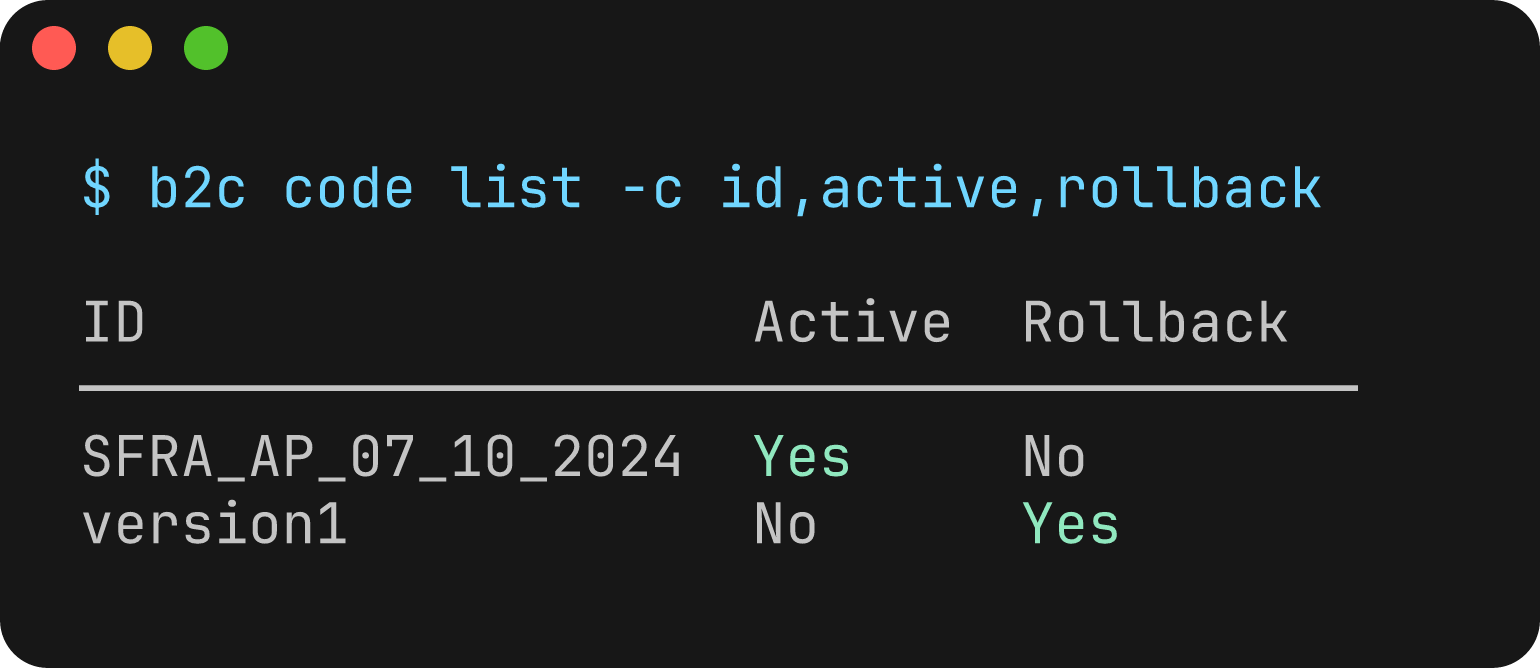
b2c code list
List all code versions on a B2C Commerce instance.
Usage
b2c code listFlags
In addition to global instance and authentication flags:
| Flag | Description | Default |
|---|---|---|
--columns, -c | Columns to display (comma-separated). Available: id, active, rollback, lastModified, cartridges | All columns |
--extended, -x | Show all columns including extended fields | false |
Examples
# List code versions on an instance
b2c code list --server my-sandbox.demandware.net --client-id xxx --client-secret yyy

# Output as JSON
b2c code list --json

# Using environment variables
export SFCC_SERVER=my-sandbox.demandware.net
export SFCC_CLIENT_ID=your-client-id
export SFCC_CLIENT_SECRET=your-client-secret
b2c code list
Output
The command displays a table of code versions with:
- Code version ID
- Active status
- Rollback status
- Last modification time
- Number of cartridges
Example output:
ID                        Active    Rollback  Last Modified             Cartridges
────────────────────────────────────────────────────────────────────────────────────
version1                  Yes       No        11/29/2024, 2:30:00 PM    15
version2                  No        Yes       11/28/2024, 10:15:00 AM   15
staging                   No        No        11/25/2024, 9:00:00 AM    12
b2c code deploy
Deploy cartridges to a B2C Commerce instance.
This command finds cartridges in the specified directory (by looking for .project files), creates a zip archive, uploads it via WebDAV, and optionally reloads the code version.
Usage
b2c code deploy [CARTRIDGEPATH]Arguments
| Argument | Description | Default |
|---|---|---|
CARTRIDGEPATH | Path to search for cartridges | . (current directory) |
Flags
In addition to global flags:
| Flag | Description | Default |
|---|---|---|
--activate, -a | Activate code version after deploy | false |
--reload, -r | Reload (toggle activation to force reload) code version after deploy | false |
--delete | Delete existing cartridges before upload | false |
--cartridge, -c | Include specific cartridge(s) (comma-separated or repeated) | |
--exclude-cartridge, -x | Exclude specific cartridge(s) (comma-separated or repeated) |
Examples
# Deploy all cartridges from current directory
b2c code deploy --server my-sandbox.demandware.net --code-version v1

# Deploy from a specific directory
b2c code deploy ./my-project --server my-sandbox.demandware.net --code-version v1

# Deploy and activate the code version
b2c code deploy --activate

# Deploy specific cartridges only
b2c code deploy -c app_storefront_base -c plugin_applepay

# Deploy all except certain cartridges
b2c code deploy -x test_cartridge -x int_debug

# Delete existing cartridges before upload
b2c code deploy --delete

# Delete and activate
b2c code deploy --delete --activate

# Using environment variables
export SFCC_SERVER=my-sandbox.demandware.net
export SFCC_CODE_VERSION=v1
export SFCC_USERNAME=my-user
export SFCC_PASSWORD=my-access-key
b2c code deploy
--activate is idempotent: if the target version is already active, deployment succeeds and no activation change is made. Use --reload when you need to force the instance to reload code that was uploaded to the active version.
Cartridge Discovery
Cartridges are discovered by searching for .project files (Eclipse project markers commonly used in SFCC development). The directory containing the .project file is considered a cartridge.
b2c code download
Download cartridge code from a B2C Commerce instance.
This command triggers server-side zipping of the code version, downloads the archive, and extracts cartridges locally. It is the inverse of code deploy.
Usage
b2c code download [CARTRIDGEPATH]Arguments
| Argument | Description | Default |
|---|---|---|
CARTRIDGEPATH | Path to search for local cartridges (used with --mirror) | . (current directory) |
Flags
In addition to global flags:
| Flag | Description | Default |
|---|---|---|
--output, -o | Output directory for downloaded cartridges | cartridges |
--mirror, -m | Extract cartridges to their local project locations | false |
--cartridge, -c | Include specific cartridge(s) (comma-separated or repeated) | |
--exclude-cartridge, -x | Exclude specific cartridge(s) (comma-separated or repeated) |
Note: The --mirror and --output flags are mutually exclusive. You must use one or the other, not both. Use --output to extract all cartridges to a single directory, or use --mirror to extract each cartridge to its local project location.
Examples
# Download all cartridges from the active code version
b2c code download --server my-sandbox.demandware.net

# Download to a specific output directory
b2c code download -o ./downloaded

# Download a specific code version
b2c code download --server my-sandbox.demandware.net --code-version v1

# Download only specific cartridges
b2c code download -c app_storefront_base -c plugin_applepay

# Exclude certain cartridges
b2c code download -x test_cartridge -x int_debug

# Mirror: extract to local cartridge project locations
b2c code download --mirror

# Using environment variables
export SFCC_SERVER=my-sandbox.demandware.net
export SFCC_CODE_VERSION=v1
export SFCC_USERNAME=my-user
export SFCC_PASSWORD=my-access-key
b2c code download -o ./backup
Mirror Mode
With --mirror, instead of extracting all cartridges into the output directory, each cartridge is extracted to its local project location (discovered via .project files, same as deploy). This is useful for syncing remote code changes back to your local project.
If a cartridge exists remotely but not locally, it is extracted to the output directory as a fallback.
Notes
- If no
--code-versionis specified, the command auto-discovers the active code version (requires OAuth credentials) - Existing file permissions are preserved when overwriting files
- The server-side zip is cleaned up automatically after download
b2c code activate
Activate a code version on a B2C Commerce instance, or reload the current active version.
Usage
b2c code activate [CODEVERSION]Arguments
| Argument | Description | Required |
|---|---|---|
CODEVERSION | Code version ID to activate | No (required unless --reload) |
Flags
In addition to global flags:
| Flag | Description | Default |
|---|---|---|
--reload, -r | Reload the code version (toggle activation to force reload) | false |
Examples
# Activate a specific code version
b2c code activate v2 --server my-sandbox.demandware.net

# Reload the current active code version (forces code refresh)
b2c code activate --reload

# Reload a specific code version
b2c code activate v1 --reload

# Using --code-version flag instead of argument
b2c code activate --code-version v2
Reload vs Activate
- Activate: Sets the specified code version as active. If it is already active, the command succeeds without making a change.
- Reload: Forces the instance to reload the code by temporarily activating a different version, then re-activating the target version
Use --reload when you've made changes via WebDAV and need the instance to pick up the changes without deploying again.
b2c code delete
Delete a code version from a B2C Commerce instance.
Usage
b2c code delete CODEVERSIONArguments
| Argument | Description | Required |
|---|---|---|
CODEVERSION | Code version ID to delete | Yes |
Flags
In addition to global flags:
| Flag | Description | Default |
|---|---|---|
--force, -f | Skip confirmation prompt | false |
Examples
# Delete a code version (with confirmation prompt)
b2c code delete old-version --server my-sandbox.demandware.net

# Delete without confirmation
b2c code delete old-version --force
Notes
- You cannot delete the currently active code version
- The command will prompt for confirmation unless
--forceis used
b2c code watch
Watch cartridge directories and automatically upload changes to a B2C Commerce instance.
This command monitors cartridge files for changes and uploads them in real-time, making it ideal for development workflows.
Usage
b2c code watch [CARTRIDGEPATH]Arguments
| Argument | Description | Default |
|---|---|---|
CARTRIDGEPATH | Path to search for cartridges | . (current directory) |
Flags
In addition to global flags:
| Flag | Description |
|---|---|
--cartridge, -c | Include specific cartridge(s) (comma-separated or repeated) |
--exclude-cartridge, -x | Exclude specific cartridge(s) (comma-separated or repeated) |
Examples
# Watch all cartridges in current directory
b2c code watch --server my-sandbox.demandware.net --code-version v1

# Watch cartridges in a specific directory
b2c code watch ./my-project

# Watch only specific cartridges
b2c code watch -c app_storefront_base -c plugin_applepay

# Exclude certain cartridges from watching
b2c code watch -x test_cartridge

# Using environment variables
export SFCC_SERVER=my-sandbox.demandware.net
export SFCC_CODE_VERSION=v1
export SFCC_USERNAME=my-user
export SFCC_PASSWORD=my-access-key
b2c code watch
Behavior
- File changes (
add,change): Batched and uploaded as a zip archive - File deletions (
unlink): Deleted from the remote server - Debouncing: Rapid changes are batched together (default 100ms delay)
- Error handling: Continues watching after upload errors with rate limiting
Press Ctrl+C to stop watching.
Environment Variables
| Variable | Description |
|---|---|
SFCC_UPLOAD_DEBOUNCE_TIME | Debounce time in milliseconds (default: 100) |