
Scaffold Commands
The b2c scaffold commands help you generate B2C Commerce components from templates (scaffolds). Built-in scaffolds include cartridges, controllers, hooks, custom APIs, job steps, and Page Designer components.
Commands Overview
| Command | Description |
|---|---|
b2c scaffold list | List available scaffolds |
b2c scaffold generate <id> | Generate files from a scaffold |
b2c scaffold info <id> | Show scaffold details and parameters |
b2c scaffold search <query> | Search scaffolds by name/tags |
b2c scaffold init <name> | Create a custom scaffold |
b2c scaffold validate <path> | Validate a scaffold manifest |
b2c scaffold list
List available project scaffolds with optional filtering.
Usage
b2c scaffold list [--category <category>] [--source <source>]Flags
| Flag | Description |
|---|---|
--category, -c | Filter by category (built-in scaffolds use cartridge; custom scaffolds may use other categories) |
--source, -s | Filter by source: built-in, user, project, plugin |
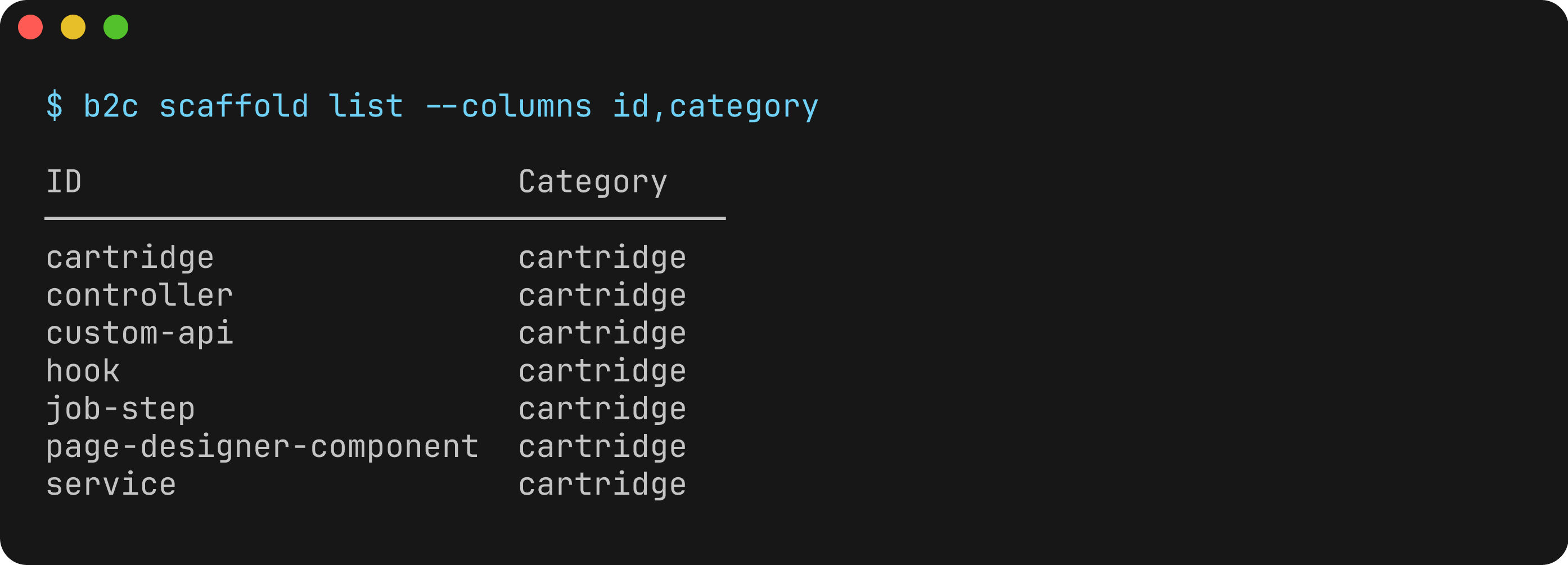
--columns | Columns to display (comma-separated) |
--extended, -x | Show all columns including description and path |
Output
Default columns: id, displayName, category, source
Extended columns (with -x): adds description and path
Examples
# list all available scaffolds
b2c scaffold list

# list only cartridge scaffolds
b2c scaffold list --category cartridge

# list project-local scaffolds
b2c scaffold list --source project

# show extended information
b2c scaffold list -x
b2c scaffold generate
Generate files from a scaffold template. You can also use the shorthand b2c scaffold <id>.
Usage
b2c scaffold generate <scaffoldId> [--name <name>] [--option key=value] [--output <dir>]
b2c scaffold <scaffoldId>  # shorthand
Arguments
| Argument | Description |
|---|---|
scaffoldId | ID of the scaffold to generate (required) |
Flags
| Flag | Description |
|---|---|
--name, -n | Primary name parameter (shorthand for --option name=VALUE) |
--output, -o | Output directory (defaults to scaffold default or current directory) |
--option | Parameter value in key=value format (repeatable) |
--dry-run | Preview files without writing them |
--force, -f | Skip prompts, use defaults, and overwrite existing files |
Examples
# generate a cartridge interactively
b2c scaffold generate cartridge

# generate with name specified
b2c scaffold cartridge --name app_custom

# generate with multiple options
b2c scaffold generate controller --option controllerName=Account --option cartridgeName=app_custom

# preview what would be generated
b2c scaffold generate cartridge --name app_custom --dry-run

# skip all prompts and use defaults
b2c scaffold generate cartridge --name app_custom --force

# generate to a specific directory
b2c scaffold generate cartridge --name app_custom --output ./src/cartridges
b2c scaffold info
Show detailed information about a scaffold including its parameters and usage.
Usage
b2c scaffold info <scaffoldId>Arguments
| Argument | Description |
|---|---|
scaffoldId | ID of the scaffold to get info for (required) |
Output
Displays:
- Scaffold ID, category, source, and description
- Tags (if any)
- Parameters with types, requirements, defaults, and conditions
- Usage example with required parameters
- Post-generation instructions (if any)
Examples
# show info for the cartridge scaffold
b2c scaffold info cartridge

# show info for the controller scaffold
b2c scaffold info controller
b2c scaffold search
Search for scaffolds by name, description, or tags.
Usage
b2c scaffold search <query> [--category <category>]Arguments
| Argument | Description |
|---|---|
query | Search query (required) |
Flags
| Flag | Description |
|---|---|
--category, -c | Filter results by category |
--columns | Columns to display (comma-separated): id, displayName, category, source, description |
--extended, -x | Show all columns including extended fields |
Output
Default columns: id, displayName, category, description
Extended columns (with -x): adds source
Examples
# search for scaffolds related to API
b2c scaffold search api

# search within a specific category
b2c scaffold search template --category page-designer
b2c scaffold init
Create a new custom scaffold template.
Usage
b2c scaffold init [name] [--project | --user | --output <dir>]Arguments
| Argument | Description |
|---|---|
name | Name for the new scaffold (kebab-case, optional - prompts if not provided) |
Flags
| Flag | Description |
|---|---|
--project | Create in project scaffolds directory (.b2c/scaffolds/) |
--user | Create in user scaffolds directory (~/.b2c/scaffolds/) |
--output, -o | Custom output directory for the scaffold |
--force, -f | Overwrite existing scaffold if it exists |
Examples
# create a project-local scaffold interactively
b2c scaffold init --project

# create a user scaffold with a specific name
b2c scaffold init my-component --user

# create a scaffold in a custom directory
b2c scaffold init my-scaffold --output ./custom-scaffolds
b2c scaffold validate
Validate a custom scaffold manifest and templates.
Usage
b2c scaffold validate <path> [--strict]Arguments
| Argument | Description |
|---|---|
path | Path to the scaffold directory (required) |
Flags
| Flag | Description |
|---|---|
--strict | Treat warnings as errors |
Validation Checks
- Manifest structure (scaffold.json)
- Required fields and types
- Parameter definitions and validation patterns
- Template file existence
- Orphaned template files
- EJS syntax in templates
Examples
# validate a custom scaffold
b2c scaffold validate ./.b2c/scaffolds/my-scaffold

# validate with strict mode
b2c scaffold validate ./my-scaffold --strict
Built-in Scaffolds
| Scaffold | Category | Description |
|---|---|---|
cartridge | cartridge | B2C cartridge with standard directory structure |
controller | cartridge | SFRA controller with route handlers and middleware |
hook | cartridge | Hook implementation with hooks.json registration |
service | cartridge | B2C web service using LocalServiceRegistry |
custom-api | cartridge | Custom SCAPI endpoint with OAS 3.0 schema |
job-step | cartridge | Custom job step with steptypes.json registration |
page-designer-component | cartridge | Page Designer component with meta/script/template |
Use b2c scaffold info <id> to see the parameters for each scaffold.